All Projects Software Development

GIS Modernization for LINK-GIS

Client: Planning and Development Services of Kenton County
Date: June–July 2026
Technologies: ArcGIS Web AppBuilder, ArcGIS Experience Builder, ArcGIS Enterprise Portal, Claude AI, dymaptic's proprietary converter app

Planning and Development Services of Kenton County (PDS) provides planning, development, permitting, building inspection, infrastructure engineering, and GIS mapping services for Kenton County, Kentucky. PDS is the managing partner of LINK-GIS, which provides GIS mapping, data analysis, development statistics, and aerial photography services for a three-county region. PDS contracted dymaptic to migrate the LINK-GIS public-facing GIS Data Purchase application from ArcGIS Web AppBuilder to ArcGIS Experience Builder.

The Challenge: Moving a Public Data Purchase App off Web AppBuilder

The retirement of Esri's ArcGIS Web AppBuilder platform meant LINK-GIS had to move its public-facing Data Purchase application to Esri's ArcGIS Experience Builder, and it needed to do so without downtime and without losing functionality.

The application included a custom widget that lets surveyors, engineers, developers, architects, homebuilders, and the public select and purchase GIS data, with fee handling built in. Custom widgets are the part of a Web AppBuilder migration that usually means rebuilding by hand.

Our Approach: An AI-Driven Migration Pipeline, Refined by a GIS Engineer

Dymaptic migrated the application through its Web AppBuilder to Experience Builder migration service, starting with dymaptic's AI-driven migration pipeline. The pipeline converted the application itself: all maps, layers, filters, queries, and standard widget configuration carried over into Experience Builder, and the dymaptic team verified the result.

A GIS engineer then refined the styling, icons, and layout to match the original application.
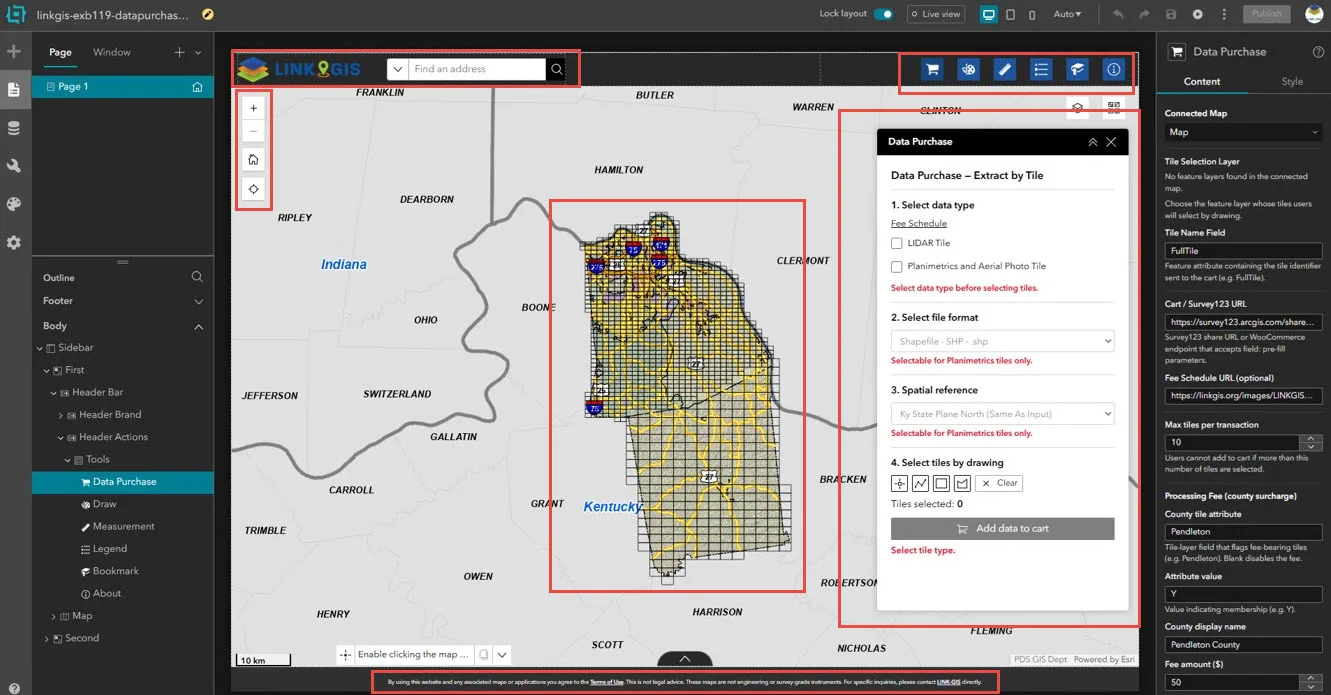
The migrated LINK-GIS Data Purchase application open in the ArcGIS Experience Builder editor, with red outlines around the header, map tools, tile grid, Data Purchase widget, and footer, and the widget's settings for the tile selection layer, cart URL, maximum tiles per transaction, and county processing fee in the right-hand panel.

The migrated Data Purchase application in the Experience Builder editor, with the custom widget's settings on the right

Our Solution: Converting the Custom Widget Instead of Rebuilding It

Dymaptic ran the custom data purchase widget through the same pipeline rather than rebuilding it by hand. The widget's underlying code was updated to be compatible with version 4 of the ArcGIS Maps SDK for JavaScript. Experience Builder has no direct conversion for Web AppBuilder custom widgets, so dymaptic converted this one through the pipeline instead, then refined it over several rounds of engineering until the data selection, configuration options, and purchase workflow, including fee handling, matched the original.

Before final hand-off, the converted application and widget went through customer testing and feedback.
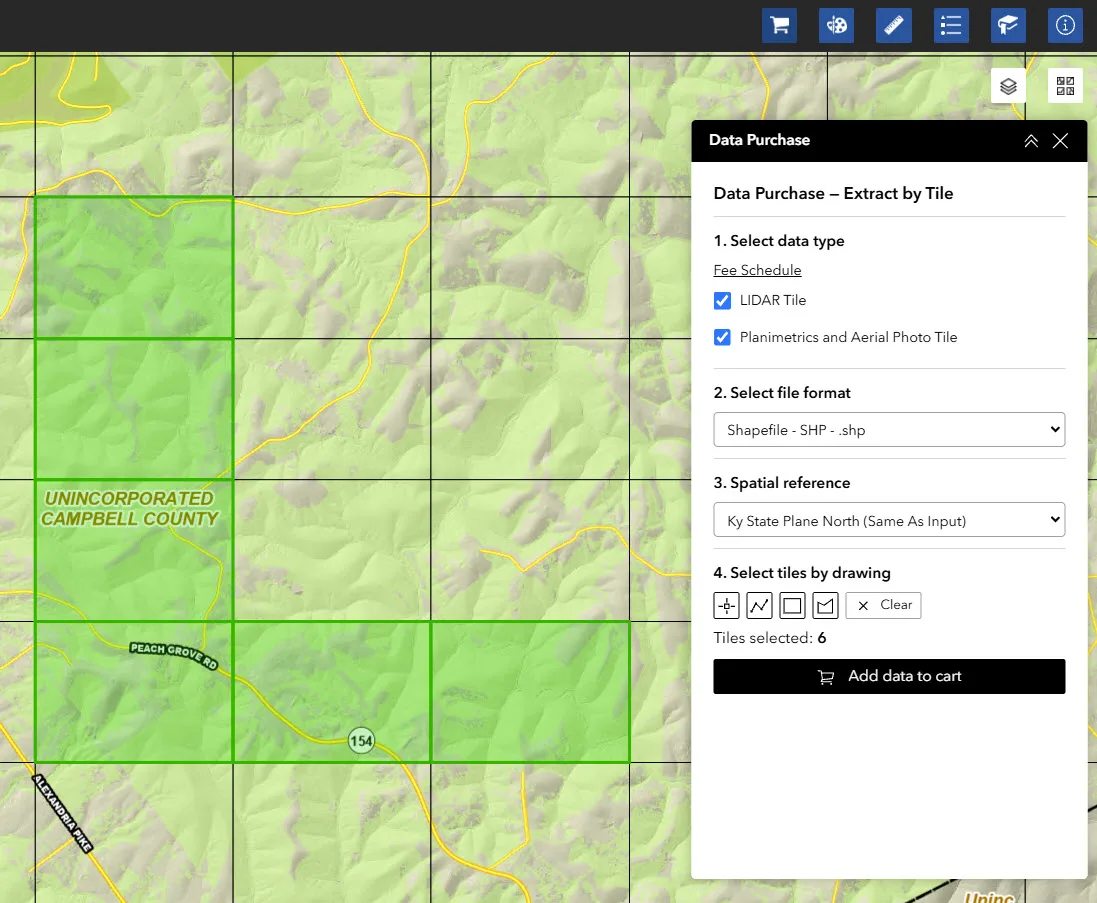
The converted LINK-GIS Data Purchase, Extract by Tile widget with LIDAR Tile and Planimetrics and Aerial Photo Tile selected, Shapefile format, Kentucky State Plane North spatial reference, and six tiles highlighted in green on the map near Peach Grove Road in unincorporated Campbell County, ready to add to the cart.

The converted Data Purchase widget with six tiles selected and ready to add to the cart

The Impact: The Same App on a Supported Platform, with No Downtime

The LINK-GIS public GIS Data Purchase application now runs on ArcGIS Experience Builder, a framework Esri actively supports. Its public-facing functionality came through intact, including the custom data purchase workflow.
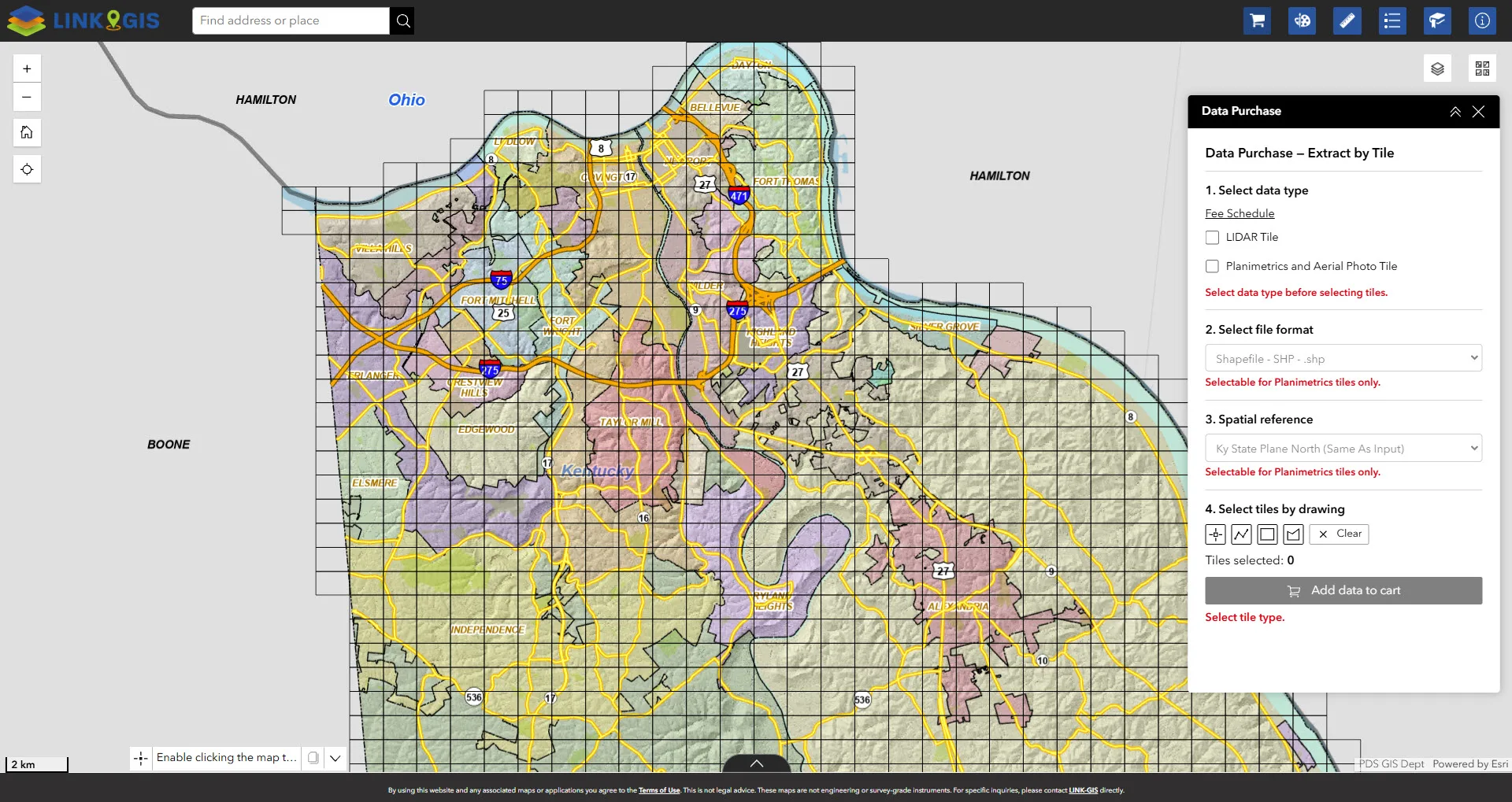
The full LINK-GIS Data Purchase application running on ArcGIS Experience Builder, showing a map of Northern Kentucky communities including Covington, Fort Thomas, Independence, and Alexandria overlaid with a grid of purchasable data tiles, beside the Data Purchase, Extract by Tile panel.

The LINK-GIS Data Purchase application, now running on ArcGIS Experience Builder

The migrated app looks and behaves like the one it replaced, so users didn't have to relearn anything, and they experienced no downtime during the conversion process.

Frequently Asked Questions

Can dymaptic migrate other Web AppBuilder applications to Experience Builder?
Yes. The software development team at dymaptic offers a Web AppBuilder to Experience Builder migration service that converts maps, layers, filters, queries, standard widget configuration, and custom widgets through an AI-driven migration pipeline, followed by engineering refinement and customer testing.
What is LINK-GIS?
LINK-GIS provides GIS mapping, data analysis, development statistics, and aerial photography services for a three-county region in Northern Kentucky. Its managing partner is Planning and Development Services of Kenton County (PDS), which also provides planning, development, permitting, building inspection, and infrastructure engineering services for Kenton County.
Why did LINK-GIS migrate from ArcGIS Web AppBuilder to ArcGIS Experience Builder?
Esri retired ArcGIS Web AppBuilder, and ArcGIS Experience Builder is the framework Esri actively supports in its place. LINK-GIS needed to move its public-facing GIS Data Purchase application to Experience Builder without downtime and without losing functionality, including its custom data purchase widget.
How did dymaptic migrate the custom Web AppBuilder widget?
Experience Builder has no direct conversion for Web AppBuilder custom widgets, which usually means rebuilding them by hand. Dymaptic instead ran the LINK-GIS data purchase widget through its AI-driven migration pipeline, updated its code for version 4 of the ArcGIS Maps SDK for JavaScript, and refined it over several rounds of engineering until data selection, configuration options, and the purchase workflow, including fee handling, matched the original.
Was there any downtime during the LINK-GIS migration?
No. Users experienced no downtime during the conversion process, and because the migrated app looks and behaves like the one it replaced, they didn't have to relearn anything.

An unhandled error has occurred. Reload X