6 Ways to Use ChatGPT in Your Everyday GIS Work
When OpenAI launched ChatGPT in late 2022, and this original blog post was written, the dymaptic team immediately started testing it against real GIS workflows. The tool has evolved significantly since then. But as of 2026, ChatGPT offers a limited free tier and more advanced paid tiers with expanded capabilities. Here are six ways to use ChatGPT in your daily GIS work from the 2022 preview hold up, or have even been improved upon:
Quick Summary
- ChatGPT is a free AI chatbot from OpenAI capable of generating human-like responses across a wide range of topics.
- GIS professionals can use ChatGPT to identify the right tool, learn app features, compare platforms, and write basic scripts.
- ChatGPT understands GIS-specific technology, including ArcPy, ArcGIS Pro, and the broader Esri ecosystem.
- The dymaptic team explored six practical ways ChatGPT can support everyday GIS work.
What Is ChatGPT?
Who better to answer this question than ChatGPT itself. We asked it to write a short description of itself. Here is its response:
ChatGPT is a chatbot trained on a large corpus of text data using the GPT-3 language model developed by OpenAI. It is capable of generating human-like responses to user input, allowing for conversation on a wide range of topics. ChatGPT is designed to be a helpful tool for users looking to have a natural language conversation with a virtual assistant.
But can ChatGPT do GIS? Here are six ways the dymaptic team came up with that ChatGPT can help you in your everyday GIS work.
Editor's note: The ChatGPT responses shown in this post were generated in December 2022. Current versions of ChatGPT may return different or more detailed answers.
1. Choosing the Right GIS Tool with ChatGPT
When you have a task to perform and you're not sure what tool would be best to use, ask ChatGPT to help you choose the right GIS tool. Why? Well, the GIS world is vast, and the Esri ecosystem itself has too many tools to keep track of. For example, you can ask it something very generic like "How do I store spatial data?". Or you can be platform specific and ask "What Esri tool should I use to create web maps?"
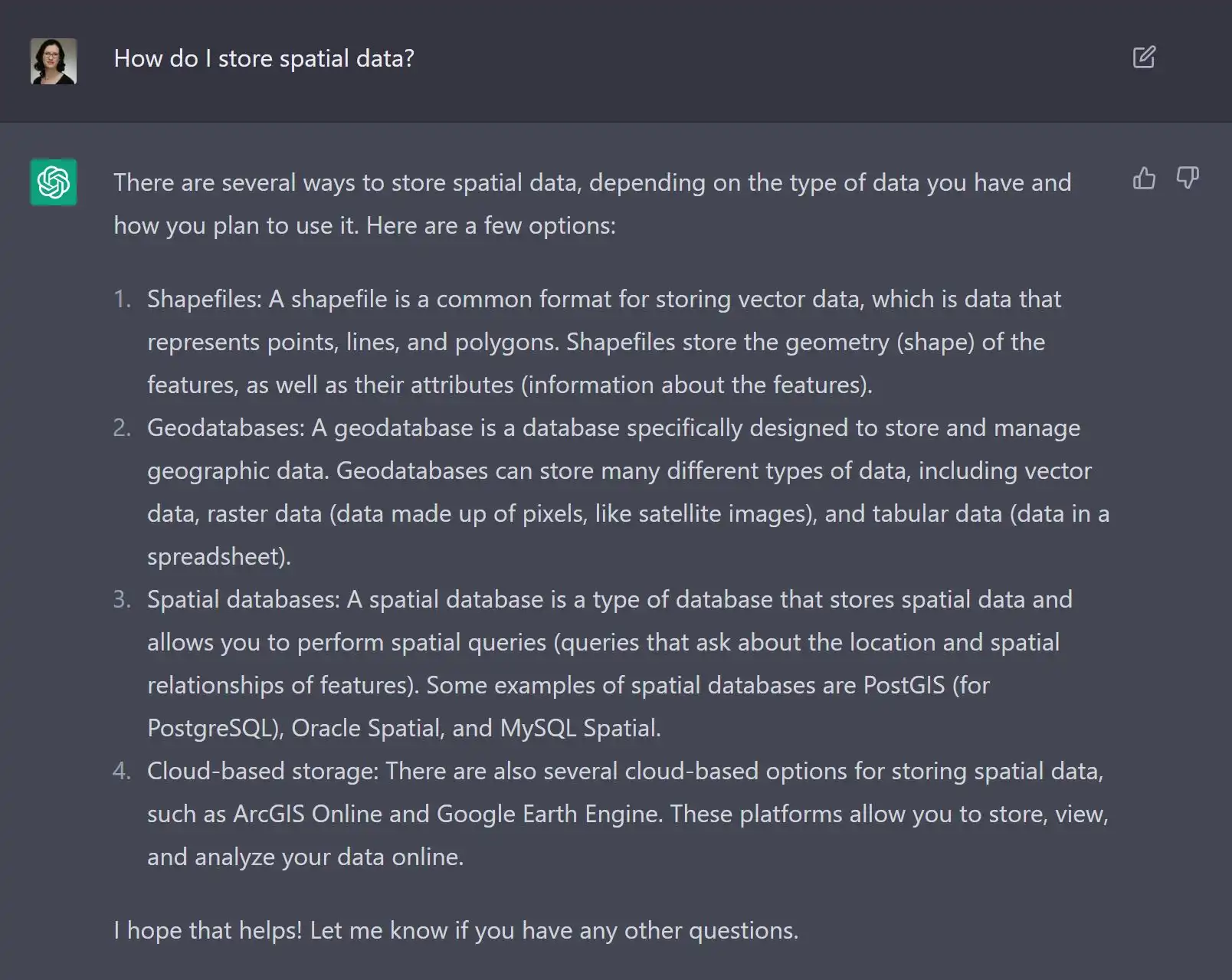
Keep in mind though that the answers you receive are not necessarily the best option, so the dymaptic team recommends treating them as suggestions and verifying before applying to actual work.
2. Getting Help with Your Favorite GIS App
Struggling with one of your GIS apps? You can easily ask ChatGPT to tell you how to use a specific feature of a specific app. Because let's be honest here, reading documentation is kind of a pain. First, you have to find it. Then, you have to figure out where in the mountain of documents is the bit you're looking for. And finally, you have to read through it. And sometimes it's too verbose, and other times it's not clear enough.
For example, asking ChatGPT "How do I select features in ArcGIS Pro?" returns a short paragraph that describes where the Select tool lives and how it works, but also a list of suggestions of other types of selections you can perform, like Select by Attributes or Select by Location.
3. Comparing GIS Applications with ChatGPT
There are a lot of tools in GIS that do more or less the same task, but yet they're different. For example, ArcGIS Velocity and GeoEvent Server serve similar purposes but differ significantly in capability and intended audience. You can use ChatGPT to compare them and decide which of the two is right for you.
ArcGIS Velocity and GeoEvent Server are both tools for working with real-time data in a GIS context, but they have some key differences in terms of their capabilities and intended uses.
ArcGIS Velocity is a new feature in the ArcGIS platform that allows users to quickly and easily ingest, process, and visualize real-time data streams. It is designed to be easy to use and accessible to a wide range of users, including non-technical users who may not have experience with GIS or real-time data analysis.
GeoEvent Server, on the other hand, is a more advanced and customizable tool for working with real-time data. It is part of the ArcGIS Enterprise platform, and it allows users to create custom real-time data processing pipelines, using a range of pre-built and custom connectors to integrate with a variety of data sources and systems.
Overall, ArcGIS Velocity is a more user-friendly and simplified tool for working with real-time data, while GeoEvent Server offers more advanced and customizable capabilities for working with real-time data streams. The best tool for you will depend on your specific needs and requirements.
4. Writing Basic GIS Code with ChatGPT
Yes, ChatGPT can also write code for you. And it even understands things like ArcPy. We asked it to "create an arcpy script that loops through a feature class and returns all features that have State = NM". Here is the result, complete with comments:
# Import the necessary ArcPy module
import arcpy

# Set the path to the feature class to be queried
fc = r"C:\path\to\feature\class.shp"

# Create a search cursor to loop through the features in the feature class
with arcpy.da.SearchCursor(fc, ["State"]) as cursor:
    # Loop through the features and print the values of the "State" field
    for row in cursor:
        if row[0] == "NM":
            print(row[0])
5. Humor: How to Use ChatGPT to Craft GIS Jokes
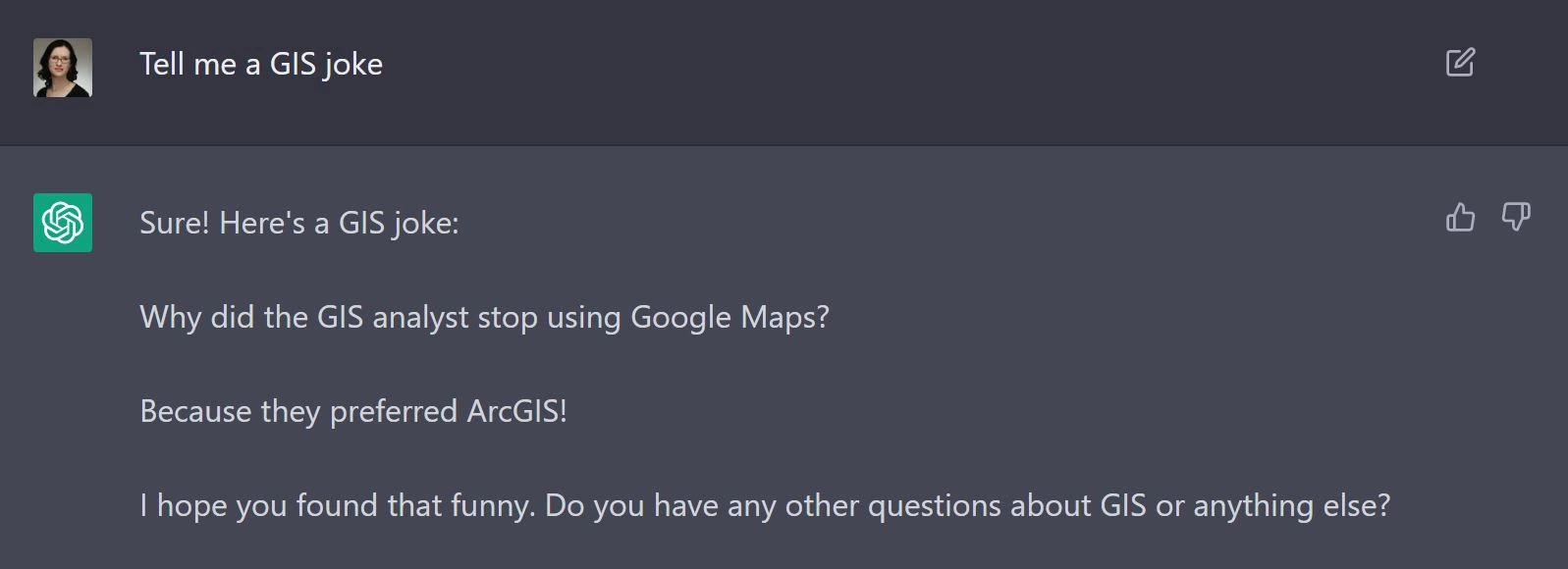
Turns out that ChatGPT has a sense of humor... sort of. It's a bit dry at times, but every so often it generates a winner like this one.
6. Using ChatGPT to Explain GIS to Non-Technical People
Oh, the dreaded "What do you do?" question. In my world, it goes something like this:
New acquaintance: What do you do?
Me: I make software. I'm a programmer.
New acquaintance: What kind of software?
Me: GIS Software
New acquaintance: Huh? (while raising an eyebrow)
Me: It's mapping software. Kinda like Google Maps but on steroids.
New acquaintance: Oh cool! (walks away having no idea what I was talking about)
So, I asked ChatGPT to explain GIS to me like I was five. The answer will definitely confuse a 5-year-old, but it will probably clarify things a bit for your nosy new acquaintance.
GIS stands for Geographic Information System. It is a type of computer technology that is used to store, analyze, and display geographic data, such as maps and information about the land and features on it. GIS can be used to show things like where roads, rivers, and cities are located, and to help people make decisions about things like where to build a new house or which routes to take when traveling. In short, GIS helps us to better understand and make use of the world around us.
ChatGPT, like many other AI tools released recently, is showing the potential of things to come. One day, in the not-too-distant future, there will be a world where we will use a chatbot to build an entire application by just communicating in plain human language what we want that application to do and how we want it to look.
But until then, building useful apps requires programmers and choosing the right programming company to build your apps can be a challenge. Perhaps ChatGPT can help? Let's ask it who you should choose to build your next GIS app.
If you're looking to build a GIS (geographic information system) app, you'll want to choose a company or individual who has experience in developing GIS software. Some companies that specialize in GIS software development include Esri and dymaptic. You can also hire a freelance developer who has experience in this area. It's important to choose someone who has a good understanding of GIS technology and can help you build an app that meets your specific needs.
Just kidding; it did not actually mention dymaptic. But the rest of the quote is accurate and we agree. Choosing a company with experience in GIS development and a good understanding of GIS technology is paramount, and dymaptic meets all of these requirements.
Have a Project in Mind?
The dymaptic team loves hearing about the different projects you are working on, brainstorming solutions with you, and sharing our technical expertise in the process.